5 Fastest Ways to Top Up Your Mobile Credit in Singapore

Sarah Mitchell
27 March 2026
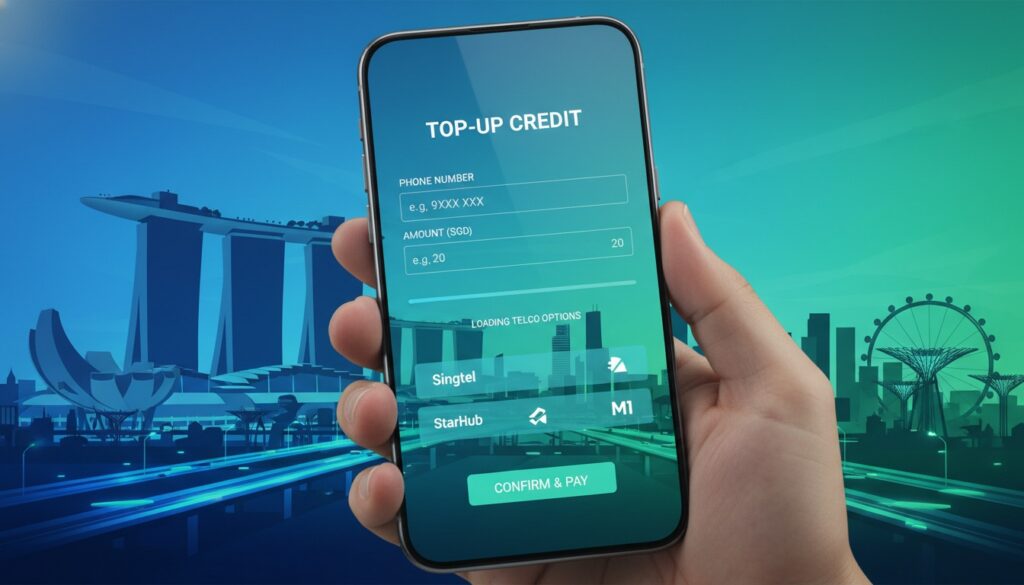
5 Fastest Ways to Top Up Your Mobile Credit in Singapore
Introduction
Running out of mobile credit at the worst possible moment? We’ve all been there. Whether you’re in the middle of an important call, trying to book a Grab, or need to stay connected for work, having insufficient mobile credit can be incredibly frustrating. Fortunately, Singapore offers numerous quick and convenient ways to top up your mobile credit, ensuring you’re never left disconnected.
In this comprehensive guide, we’ll explore the five fastest methods to recharge your phone in Singapore, complete with step-by-step instructions, pros and cons, and insider tips to make the process as smooth as possible. From cutting-edge mobile apps to traditional convenience stores, we’ve got every option covered.
Method 1: Mobile Apps – The Ultimate Convenience
Telco Official Apps
The fastest and most convenient way to top up your mobile credit is through your telecommunications provider’s official mobile app. All major Singapore telcos offer dedicated apps with seamless top-up functionality.
Popular Telco Apps:
- Singtel: My Singtel app
- StarHub: My StarHub app
- M1: My M1 app
- Circles.Life: Circles.Life app
- GOMO: GOMO app
- Download your telco’s official app from Google Play Store or Apple App Store
- Register or log in with your mobile number
- Navigate to the “Top Up” or “Recharge” section
- Select your desired top-up amount
- Choose payment method (credit card, debit card, or digital wallet)
- Confirm the transaction
- GrabPay: Integrated mobile credit top-up feature
- PayLah!: DBS’s digital wallet with top-up capabilities
- FavePay: Multi-service app including mobile recharges
- DBS/POSB iBanking
- OCBC Online Banking
- UOB Personal Internet Banking
- Maybank2u Singapore
- Standard Chartered Online Banking
- PayLah! (DBS): Instant top-ups with competitive rates
- GrabPay: Seamless integration with ride-hailing services
- PayNow: Direct bank transfers for top-ups
- FavePay: Cashback rewards on mobile recharges
- 7-Eleven: Over 600 locations island-wide
- Cheers: More than 200 outlets
- FairPrice Xpress: Convenient neighborhood locations
- Cold Storage Express: Premium locations
- Visit any participating convenience store
- Inform the cashier of your telco and desired top-up amount
- Provide your mobile number
- Pay in cash or by card
- Receive SMS confirmation within minutes
- Touch-screen interface in multiple languages
- Accept cash and card payments
- Instant credit activation
- Receipt printing for records
- Insert your bank card and enter PIN
- Select “Bill Payment” or “Mobile Services”
- Choose your telecommunications provider
- Enter mobile number and top-up amount
- Confirm transaction details
- Complete payment
- Available in over 1,000 locations
- Multi-language support
- Accept cash, cards, and NETS
- Instant credit activation
- 24/7 availability in many locations
- Singtel: Orchard Road, Marina Bay Sands, Changi Airport
- StarHub: ION Orchard, VivoCity, Tampines Mall
- M1: Plaza Singapura, Jurong Point, Bugis Junction
- Mobile phone shops in shopping centers
- Electronics retailers (Courts, Harvey Norman, Best Denki)
- Supermarkets (NTUC FairPrice, Cold Storage, Giant)
- Petrol stations (Shell, Esso, SPC, Caltex)
- Personal assistance available
- Can combine with other purchases
- Often located in convenient shopping areas
- Some offer promotional packages
- Check card validity: Ensure your payment method hasn’t expired
- Verify account balance: Confirm sufficient funds in your account
- Try alternative payment: Switch to a different card or payment method
- Wait 5-10 minutes: Most top-ups activate within this timeframe
- Restart your phone: Sometimes a simple restart resolves activation issues
- Contact customer service: Reach out to your telco if delays persist
Step-by-Step Process:
Pro Tip: Enable biometric authentication on your telco app for even faster future top-ups. Many apps also offer auto-renewal features to prevent running out of credit.
Third-Party Apps
Beyond official telco apps, several third-party applications offer multi-carrier top-up services:
Method 2: Online Banking and Digital Wallets
Internet Banking
Most Singapore banks offer mobile credit top-up services through their internet banking platforms. This method is particularly convenient if you’re already logged into your banking app.
Banks offering mobile top-up:
Digital Wallet Integration
Digital wallets have revolutionized mobile top-ups in Singapore:
Popular Digital Wallets:
Money-Saving Tip: Many digital wallets offer promotional rates or cashback on mobile top-ups. Check for ongoing promotions before recharging.
Method 3: Convenience Stores – Available 24/7
Major Convenience Store Chains
Singapore’s extensive network of convenience stores provides round-the-clock mobile top-up services. This method is perfect when you need immediate credit and don’t have internet access.
Top Convenience Store Options:
How It Works:
Self-Service Kiosks
Many convenience stores also feature self-service kiosks for faster transactions:
Method 4: ATMs and AXS Stations
Bank ATMs
Most major bank ATMs in Singapore offer mobile top-up services as part of their bill payment features. This method combines the convenience of widespread ATM locations with secure banking infrastructure.
ATM Top-Up Process:
AXS Stations
AXS (Access) stations are ubiquitous self-service kiosks found in MRT stations, shopping malls, and community centers across Singapore.
Key Benefits:
Location Tip: Use the AXS Station Locator on their website or app to find the nearest kiosk to your current location.
Method 5: Physical Telco Stores and Authorized Retailers
Official Telco Outlets
While not the fastest option, visiting official telecommunications stores provides personalized service and the opportunity to address other account-related queries simultaneously.
Major Telco Store Locations:
Authorized Retailers
Thousands of authorized retailers across Singapore offer mobile top-up services:
Comparison Table: Speed vs Convenience
| Method | Speed | Convenience | Availability | Cost |
|——–|——-|————-|————–|——|
| Mobile Apps | ⭐⭐⭐⭐⭐ | ⭐⭐⭐⭐⭐ | 24/7 | Standard |
| Digital Wallets | ⭐⭐⭐⭐⭐ | ⭐⭐⭐⭐⭐ | 24/7 | Promotions |
| Convenience Stores | ⭐⭐⭐⭐ | ⭐⭐⭐⭐ | 24/7 | Standard |
| ATMs/AXS | ⭐⭐⭐ | ⭐⭐⭐⭐ | 24/7 | Standard |
| Physical Stores | ⭐⭐ | ⭐⭐⭐ | Business Hours | Standard |
Expert Tips for Faster Top-Ups
Preparation Strategies
Save Payment Methods: Store your preferred payment methods in apps for one-click purchases.
Set Up Auto-Renewal: Enable automatic top-ups when your balance reaches a certain threshold.
Bookmark Favorites: Save frequently used top-up amounts as favorites in your telco app.
Emergency Situations
Use Emergency Credit: Most telcos offer emergency credit services that provide immediate small amounts of credit.
Borrow from Friends: Many apps now allow credit transfers between users on the same network.
Free WiFi Hotspots: Locate free WiFi to access top-up apps when you’re out of data.
Troubleshooting Common Issues
Payment Failures
Delayed Credit Activation
Security Best Practices
Protecting Your Information
Use Official Apps: Only download apps from legitimate app stores
Secure Networks: Avoid public WiFi for financial transactions
Regular Updates: Keep your apps updated for latest security features
Monitor Transactions: Regularly check your top-up history for unauthorized charges
Security Alert: Never share your banking credentials or OTP codes with anyone claiming to help with mobile top-ups.
Cost-Saving Strategies
Promotional Opportunities
Bank Promotions: Many banks offer cashback or rewards points for mobile top-ups
Telco Bonuses: Look for bonus credit offers during festive seasons
Bundle Deals: Consider combining top-ups with other services for discounts
Loyalty Programs: Join your telco’s loyalty program for exclusive offers
Conclusion
Staying connected in Singapore has never been easier with these five fast and reliable methods to top up your mobile credit. Whether you prefer the instant convenience of mobile apps, the widespread availability of convenience stores, or the security of banking channels, there’s a solution that fits your lifestyle and needs.
The key to never running out of credit is preparation and knowing your options. Download your telco’s app, set up your preferred payment methods, and consider enabling auto-renewal for ultimate peace of mind. Remember that mobile apps and digital wallets typically offer the fastest experience, while convenience stores and ATMs provide excellent backup options when you’re on the go.
By following the tips and strategies outlined in this guide, you’ll be able to recharge your mobile credit quickly and efficiently, ensuring you stay connected when it matters most.
Call-to-Action
Ready to streamline your mobile top-up experience? Start by downloading your telecommunications provider’s official app today and setting up your preferred payment method. Take a few minutes now to explore these options, and you’ll thank yourself the next time you need a quick credit top-up.
Share this guide with friends and family who might benefit from knowing these fast top-up methods. Have you discovered any other quick ways to recharge your mobile credit in Singapore? Leave a comment below and help fellow readers stay connected!
Stay tuned for more Singapore mobile and tech tips by subscribing to our newsletter.